
Claude Code output messages disappeared, what to do?
🔧📸 Images processed by Magic Image — resizing, watermarking, blurring, format conversion. Nothing fancy, but works well.
I’ve been using Claude Code a lot lately, and my output has suddenly disappeared several times. For example: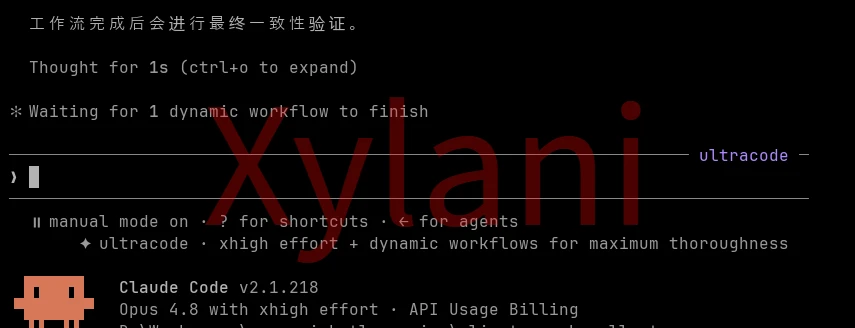
The actual output is still in the history, but it’s simply not shown to the user.
At first I suspected it was a compatibility issue with Windows PowerShell, but then I tried Git Bash and found the same problem still occurs.
I discovered that DeepSeek v4 Flash (official version) has added support for Codex. Excellent!
Here’s the solution!
First, we can download the desktop version of ChatGPT.
Then, use CC Switch to connect DeepSeek to this ChatGPT desktop app.
Open CC Switch and click steps 1 and 2 as shown below:
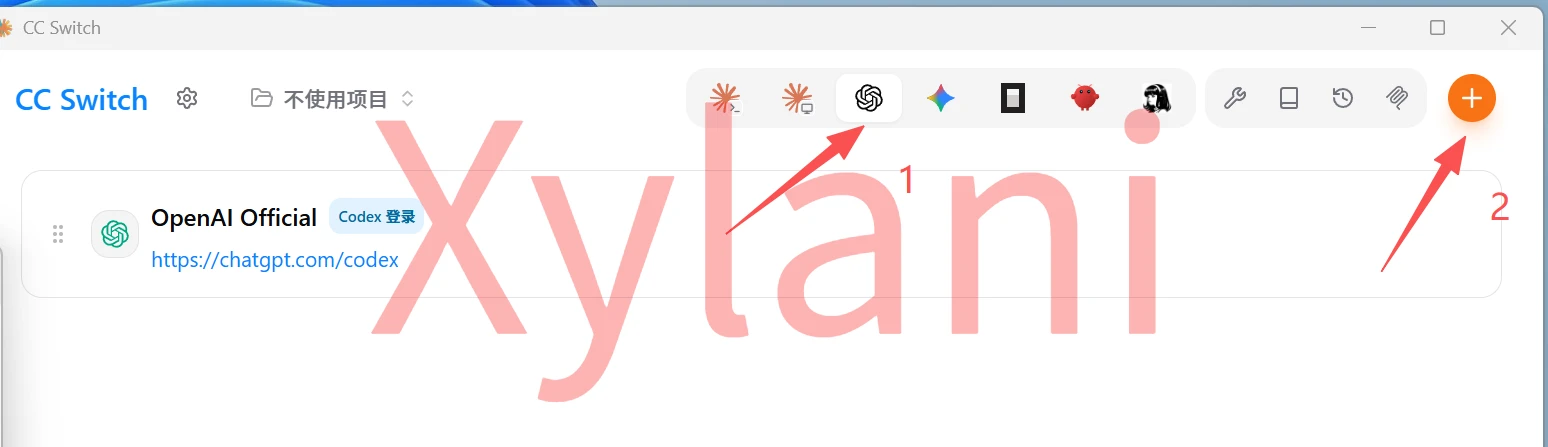
Select the provider:
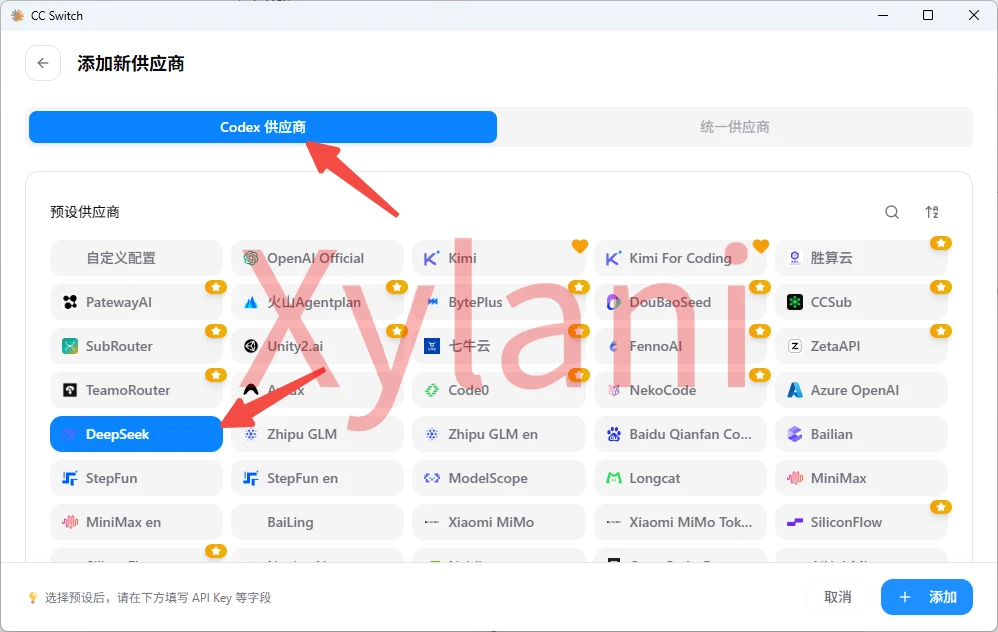
Fill in the settings as usual, then click the “+ Add” button at the bottom right.
Next, enable routing. Once routing is enabled, CC Switch turns into a proxy that converts the request format for you.
First, open the “Settings” page and configure it as shown: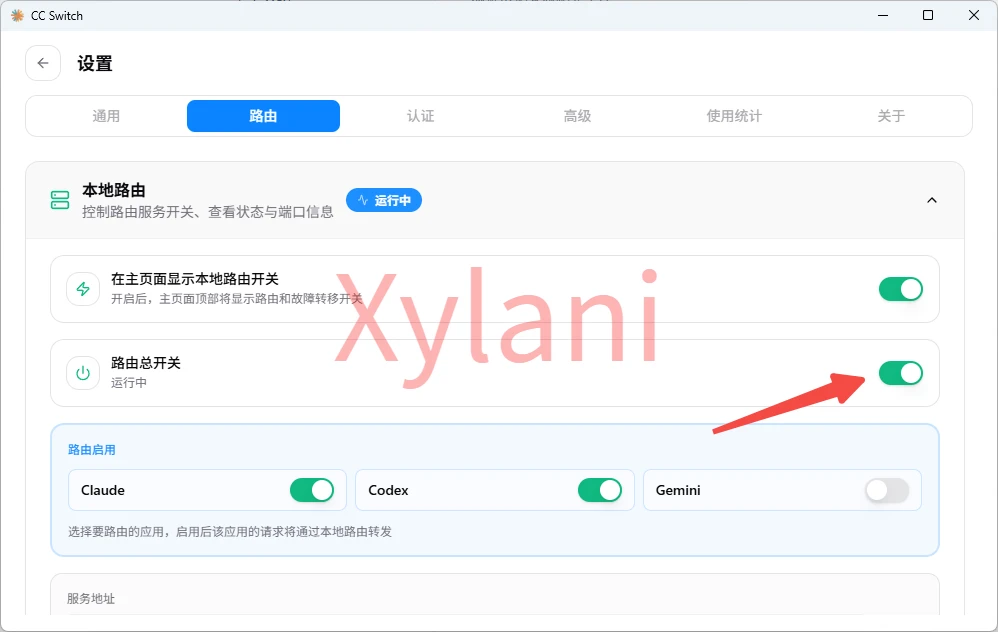
That’s it, the configuration is complete!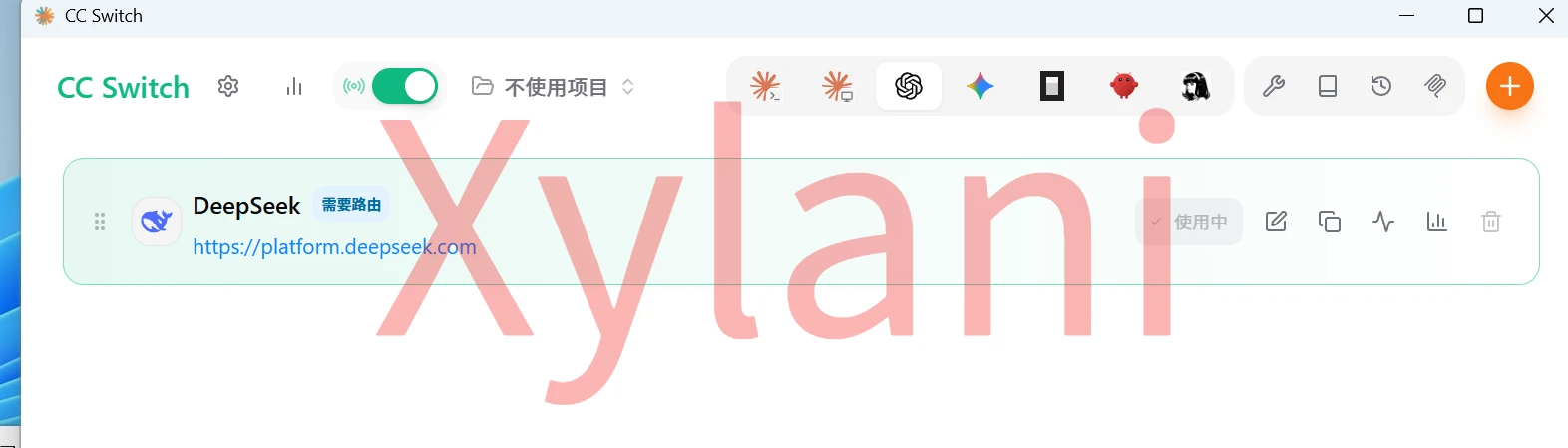
Note that CC Switch needs to stay running at all times.

If ChatGPT is already running, quit it first and then reopen it — no need to log in again. You can also pick any model you like.
Just hit Continue and Import and you’re good to go.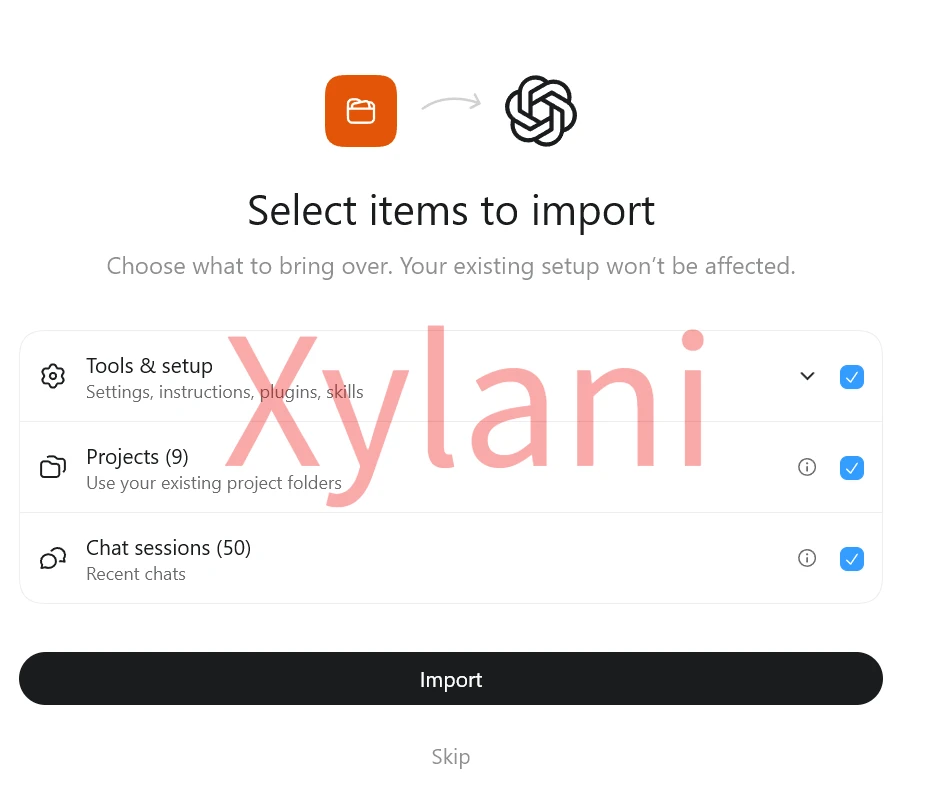
Done!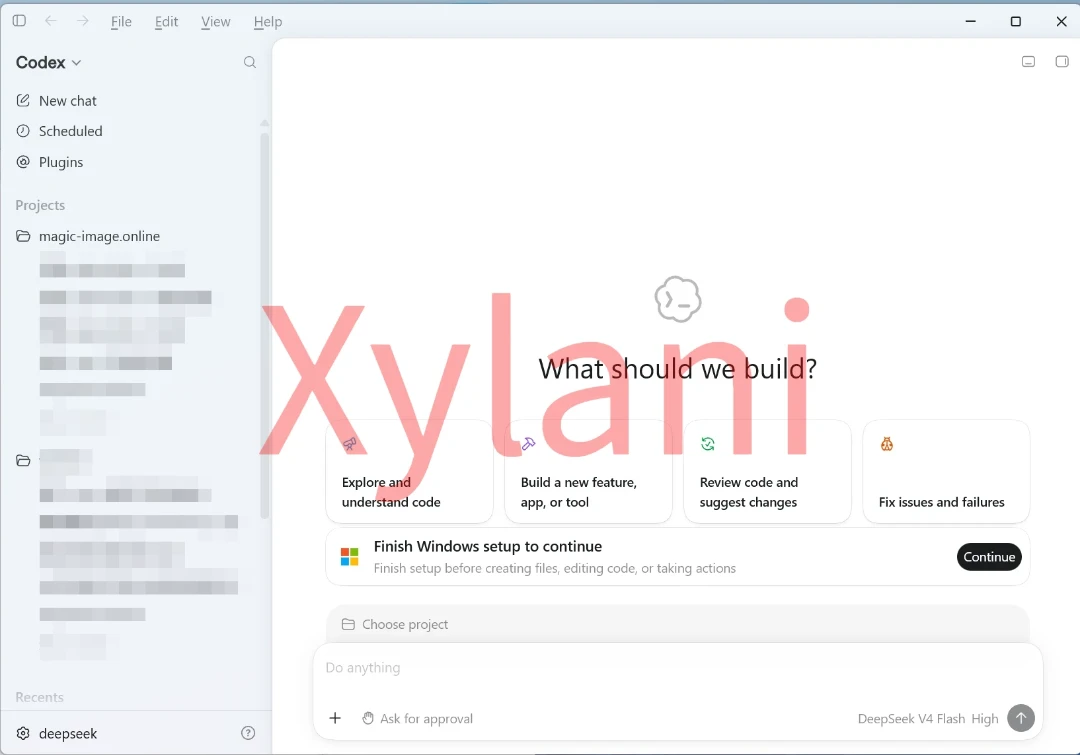
Of course, you can also click the settings icon at the bottom left to switch the language to Chinese: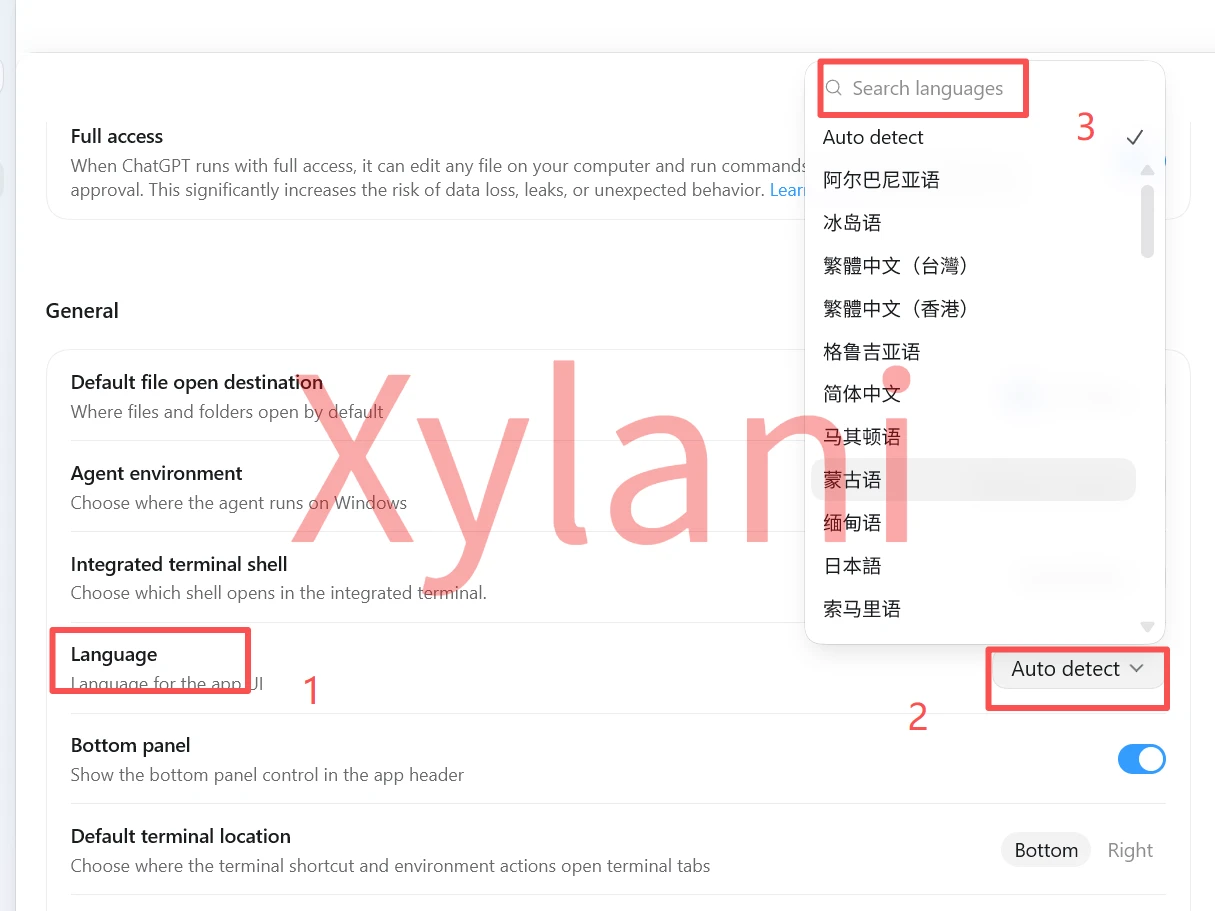
After switching languages, you need to wait for the language pack to download, then restart and it will be in Chinese. If you have a proxy enabled, the download will be faster.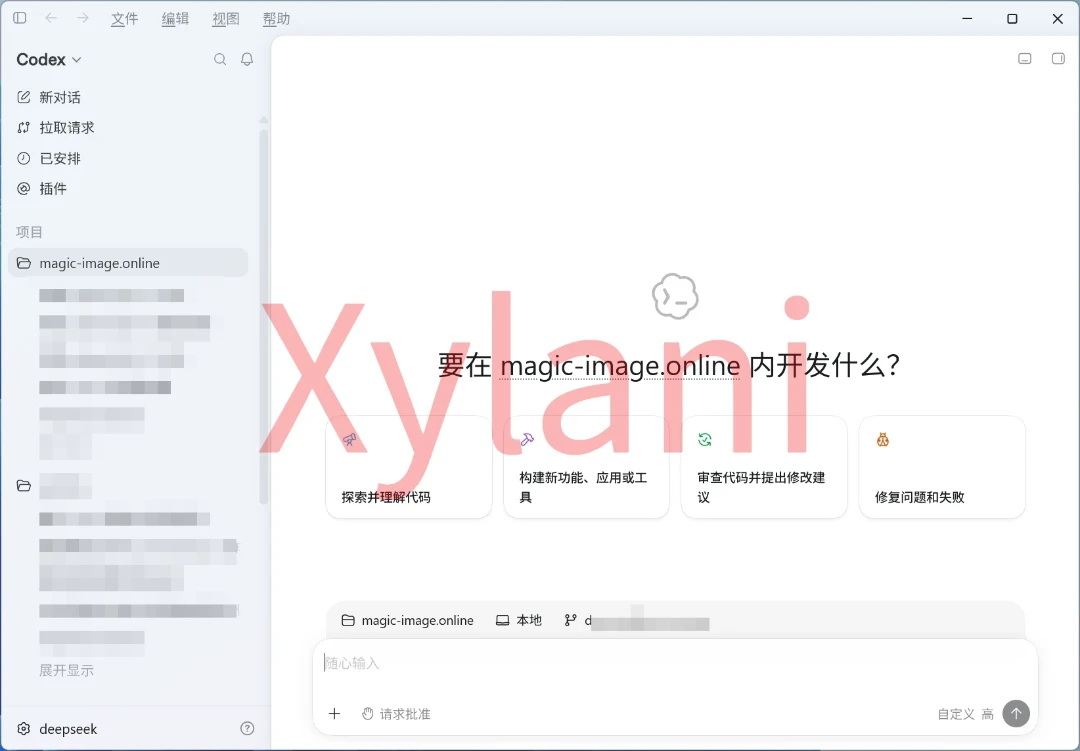
Codex defaults to High reasoning effort; you need to manually change it to Maximum.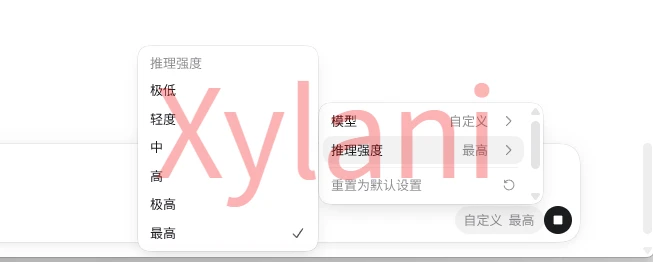
However, Codex doesn’t have the dynamic workflows mode, so it doesn’t feel as smart.
See what I mean? As long as you don’t use Claude Code, this problem just doesn’t exist.
I enjoy slow-paced travel and never do rushed, check-the-box sightseeing. If you also like this style of traveling, feel free to follow, like, save, comment, and share. Thank you for reading this far~
喜欢可以,拿走不行。